Occurrence
Record and monitor site occurrences, daily operational events, and structured occurrence diaries.
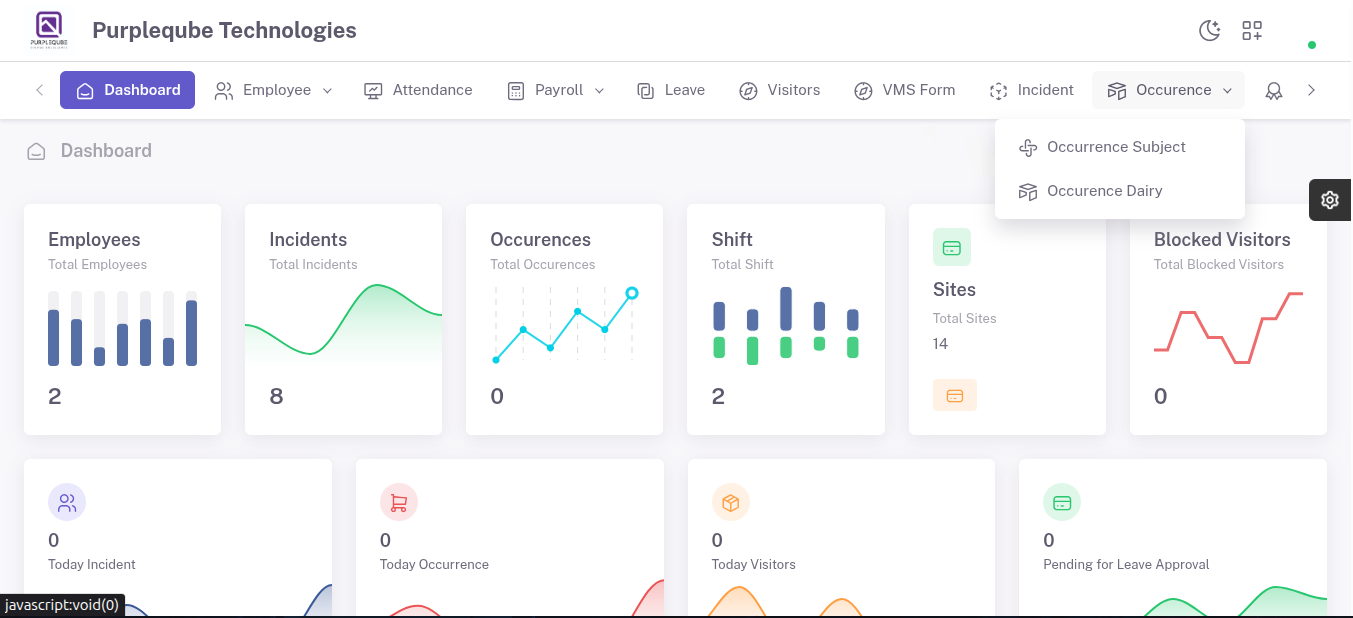
The Occurrence module is used to record, manage, and monitor site occurrences and daily operational events. It consists of two sub-sections:
- Occurrence Subject – Create and manage predefined occurrence categories or subjects.
- Occurrence Dairy – Record and track daily site occurrences, operational activities, observations, and incidents.
9.1 Occurrence Subject
The Occurrence Subject section is used to create and maintain predefined occurrence categories or subjects that can be used when recording occurrence entries.
 Occurence subject.png)
Occurrence Subject List
The list displays the following information:
- SUBJECT – Name of the occurrence subject or category (e.g., test01, test02, test03).
- NOTES – Additional information or remarks related to the subject (e.g., testing, teingi, ugtflaubs).
- STATUS – Current status of the subject (Active).
- ACTION – Edit or Delete options.
 Occurence-subject page.png)
Create Occurrence Subject
 Occurence-adding subject.png)
Users can create new occurrence subjects to be used when recording occurrence diary entries.
- Click Create Occurrence Subject tab.
- Enter the Subject name.
- Enter Notes or additional remarks.
- Click Submit to save the occurrence subject.
- A success message "Occurrence Subject Created" will appear, and the new subject is added to the Occurrence Subject List.
 Occurence-created.png)
9.2 Occurrence Dairy
The Occurrence Dairy section is used to record and track daily site occurrences, operational activities, observations, and incidents.
 Occurence Dairy.png)
Search Filter Details
Users can filter occurrence records using the following criteria:
- Sites – Select the site from the dropdown (Select value).
- From Date and Time – Select the start date and time for the search range (dd-mm-yyyy --:--).
- To Date and Time – Select the end date and time for the search range (dd-mm-yyyy --:--).
- Employee Name – Select the employee name from the dropdown (Select value).
Actions
- Reset – Clear all filter criteria and reset the search.
- Download All – Download all occurrence records based on the applied filters.
- Submit – Apply the selected filters and display the results.
 Occurence-dairy page.png)
Occurrence Dairy List
The occurrence dairy list contains the following information:
- DATE – Date of the occurrence entry (e.g., 15-06-2026).
- TIME – Time of the occurrence (e.g., 1208hrs).
- SUBJECT – Associated occurrence subject (e.g., test01).
- SITE – Site or location where the occurrence took place (e.g., White Guard).
- CREATED BY – User who created the occurrence record (e.g., whiteguard).
- DIARY – Detailed description of the occurrence (e.g., egewradtber).
- DEL REASON – Reason provided if the record is marked for deletion.
- STATUS – Current status of the occurrence entry (e.g., Open).
- ACTION – Edit or Delete options.
 Occurence-list.png)
Create Occurrence
 Occurence-add page.png)
The Create Occurrence feature allows users to add new occurrence records to the dairy.
- Click Create Occurrence tab.
- Select Employee Name from the dropdown (e.g., whiteguard).
- Select Site Name from the dropdown (e.g., White Guard Security Pte Ltd).
- Enter Created By (e.g., whiteguard).
- Select Date & Time (e.g., 15-06-2026 12:08).
- Enter Day (e.g., Monday).
- Select Subject from the dropdown (e.g., test01).
- Enter Diary description (e.g., egewradtber).
- Click Submit to save the occurrence record.
- A success message "Occurrence Dairy Created" will appear, and the new occurrence entry is added to the Occurrence Dairy List.
Once submitted successfully, the new occurrence entry becomes available for future reference, monitoring, and reporting.
This module helps maintain a structured record of daily site activities, operational events, and noteworthy occurrences, ensuring accurate documentation and effective site management.
 Occurence-added successful.png)