Leave Balance
Monitor and manage employee leave allocation, leave taken, and remaining balances.
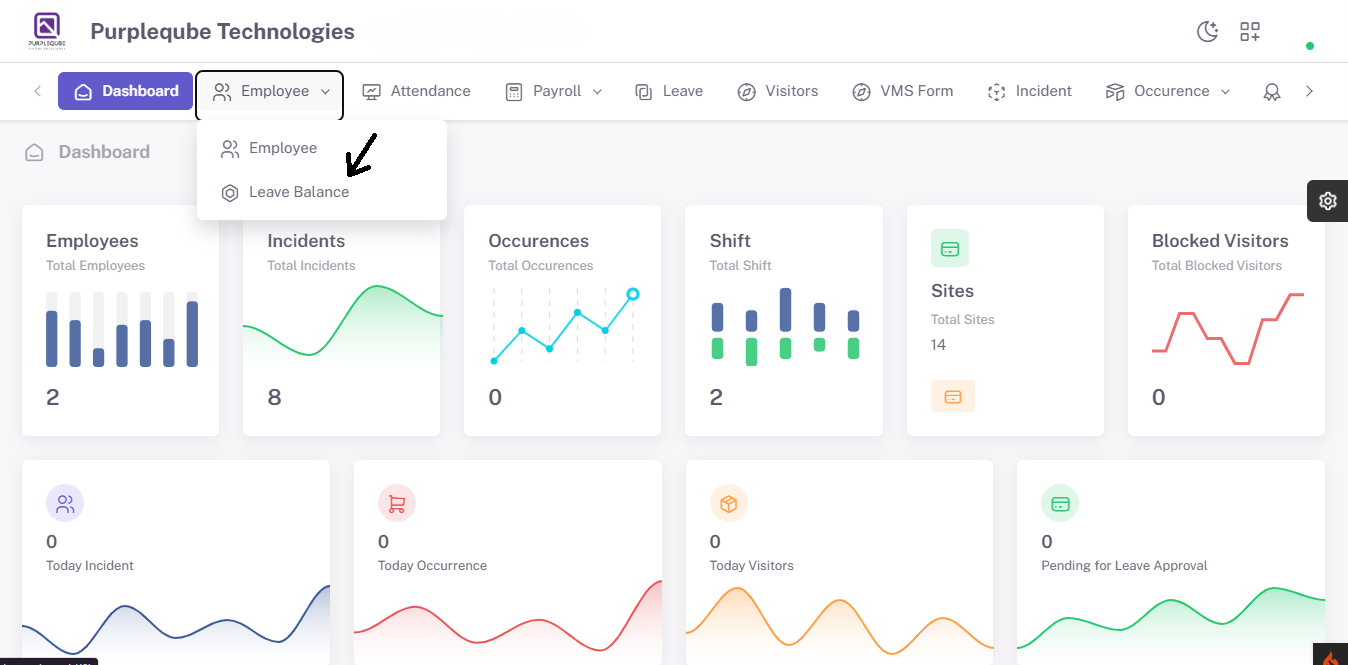
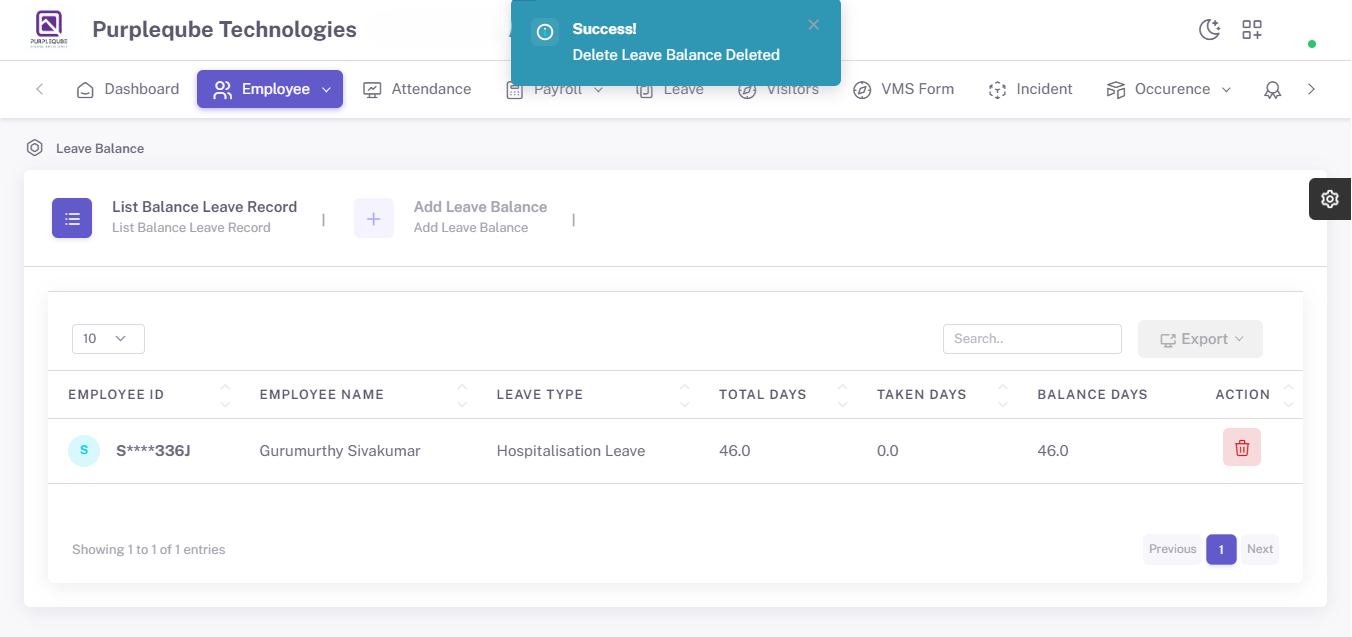
The Leave Balance sub-option enables administrators to monitor and manage employee leave records.
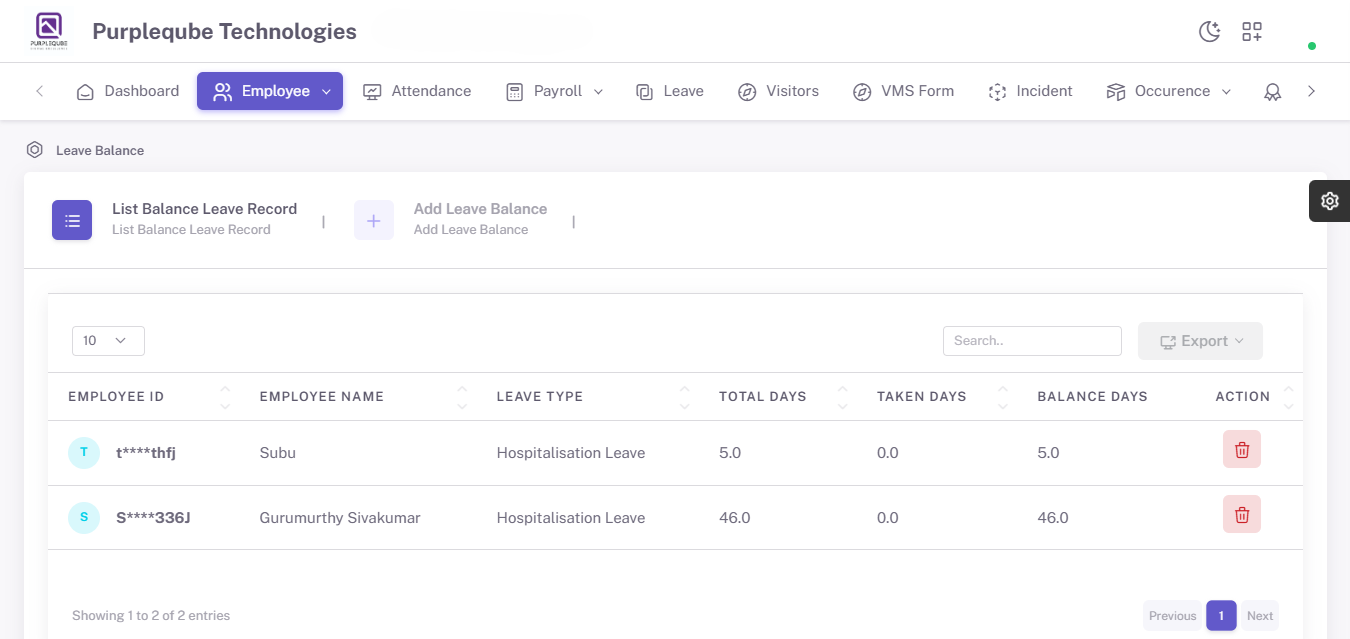
Leave Balance List
The leave balance screen displays leave-related information for all employees, including:
- Employee Name
- Total Leave Allocation
- Leave Taken
- Remaining Leave Balance
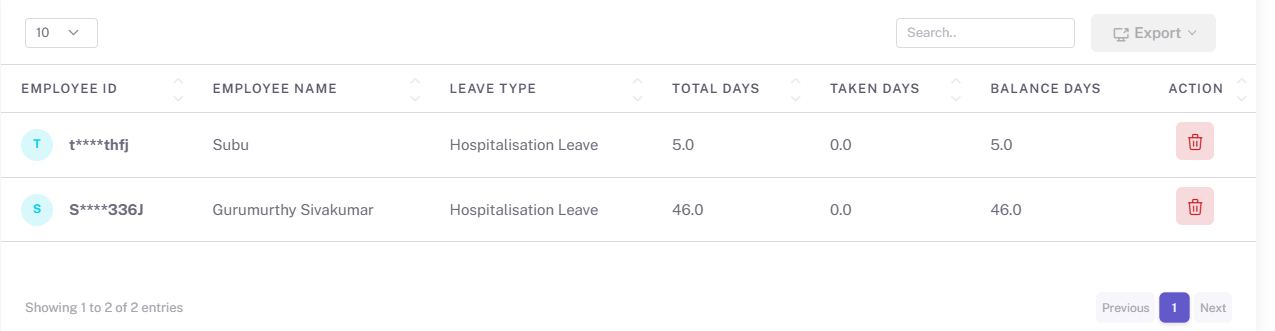
This information helps management track employee leave utilization and ensure compliance with organizational leave policies.
Leave Summary Information
For each employee, the system provides:
Total Leave Days
Displays the total number of leave days allocated to the employee.
Leave Taken
Shows the number of leave days already utilized by the employee.
Remaining Leave Balance
Displays the number of leave days still available for the employee to use.
Delete Leave Balance Record
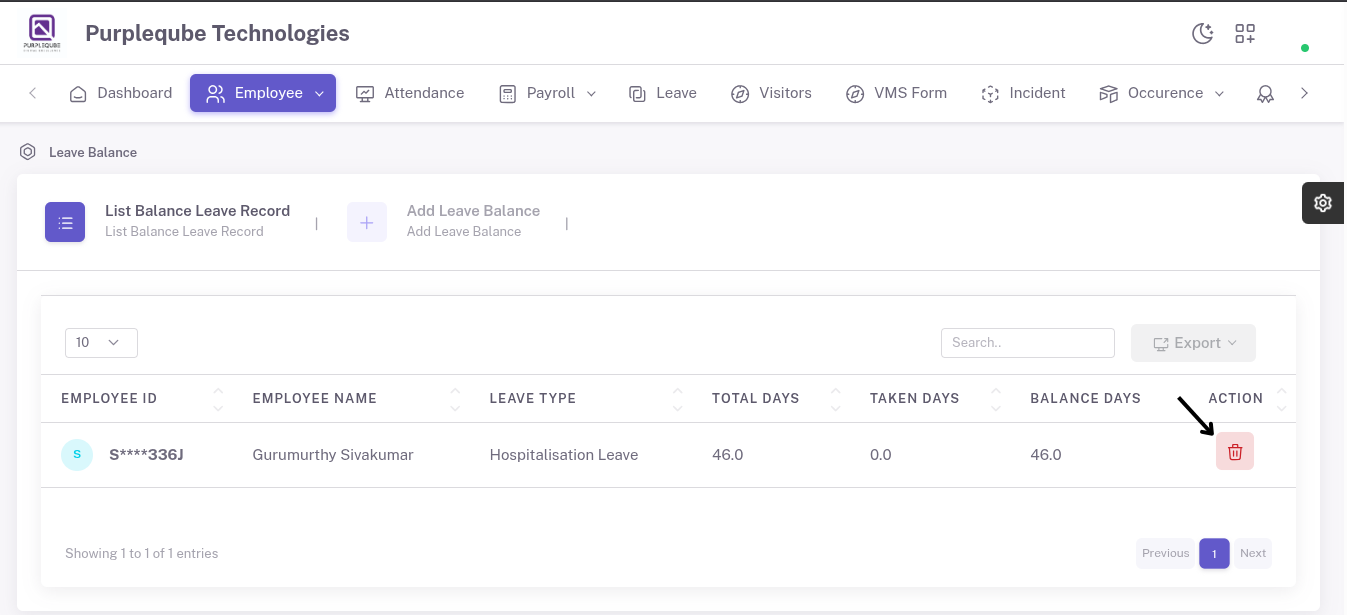
Administrators can remove leave balance records when required using the delete option available in the leave balance section.
The Employee Management module serves as a centralized platform for maintaining employee records and leave information. It helps administrators:
- Manage employee profiles efficiently.
- Maintain accurate employee records.
- Store payroll-related information.
- Manage employee documentation.
- Track employee leave balances.
- Support payroll and HR operations.
- Ensure data consistency and compliance.
This module plays a critical role in workforce management by providing a complete and organized view of employee information and leave records.