Employee Management
Maintain and manage all employee-related information — records, profiles, payroll data, leave balances, and documentation.
The Dashboard serves as the central monitoring and management interface of the system. It provides users with a real-time summary of key operational metrics, allowing administrators and managers to quickly assess workforce status, incident activities, visitor management, and pending approvals. The dashboard is designed to offer a comprehensive overview of organizational operations through easily accessible statistics and performance indicators.
By consolidating critical information in a single view, the dashboard helps users make informed decisions, track daily activities, and respond promptly to operational requirements.
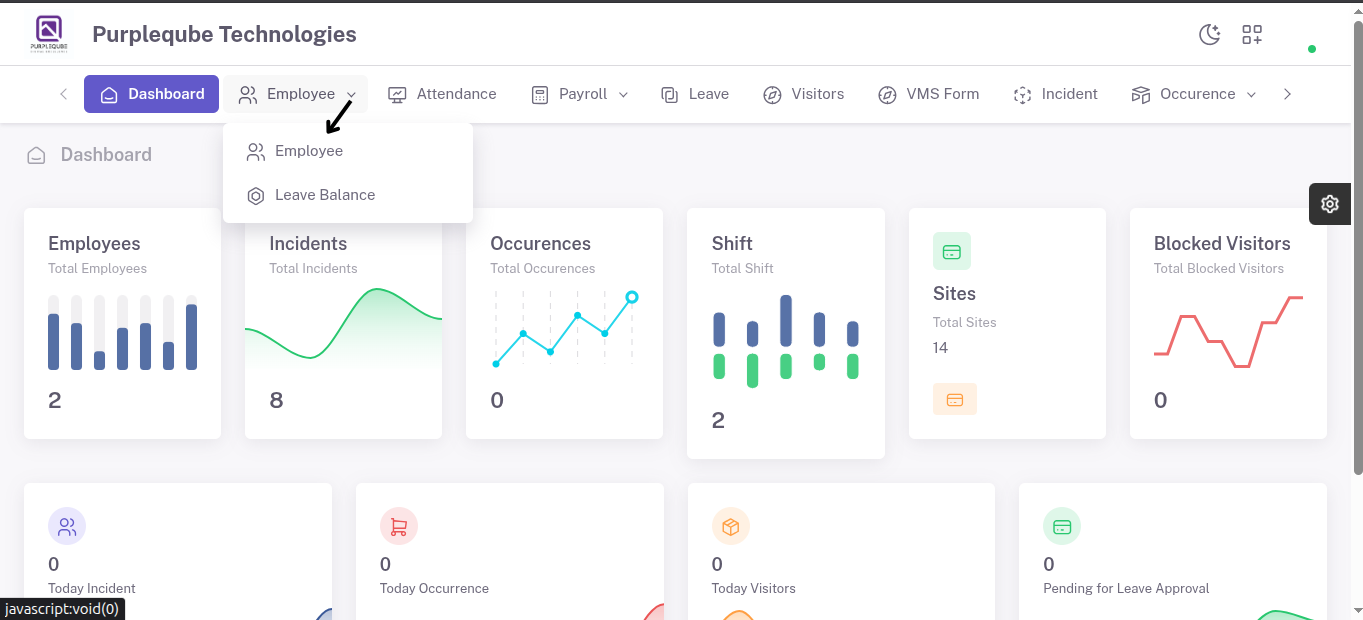
The Employee Management module is designed to maintain and manage all employee-related information within the system. It provides administrators with the ability to create, update, view, and manage employee records, as well as track employee leave balances. This module ensures that employee data is organized, accurate, and readily accessible for administrative and operational purposes.
The Employee module consists of two sub-options:
- Employee
- Leave Balance
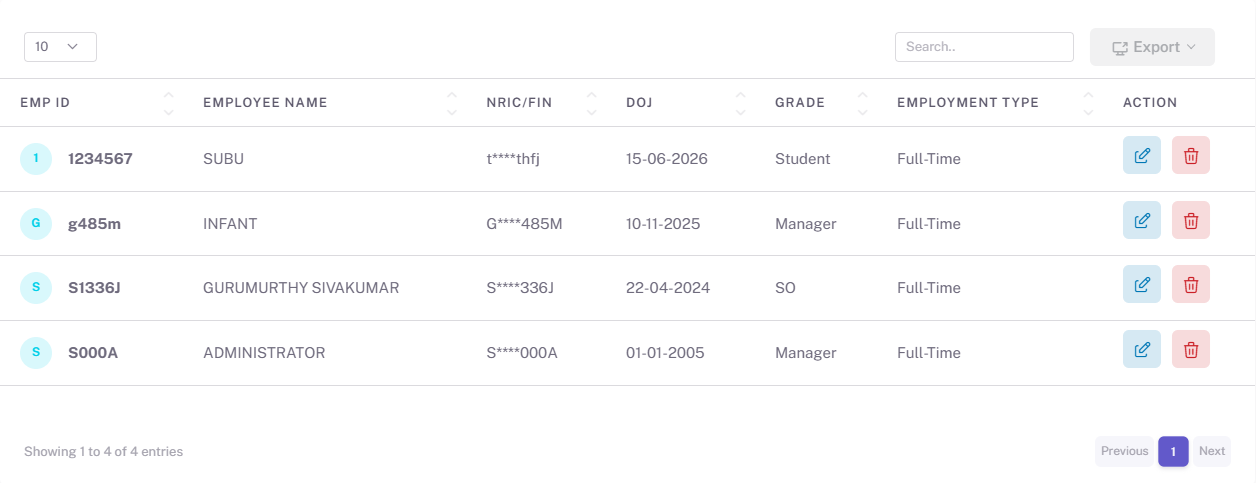
The Employee sub-option provides a comprehensive list of all employees registered in the system. Administrators can view employee details, update existing records, delete employee records, and add new employees.
Employee List
The employee list displays all registered employees along with their key information. The list allows administrators to:
- View employee information.
- Edit employee records.
- Delete employee records.
- Search and manage employee details efficiently.
Add Employee
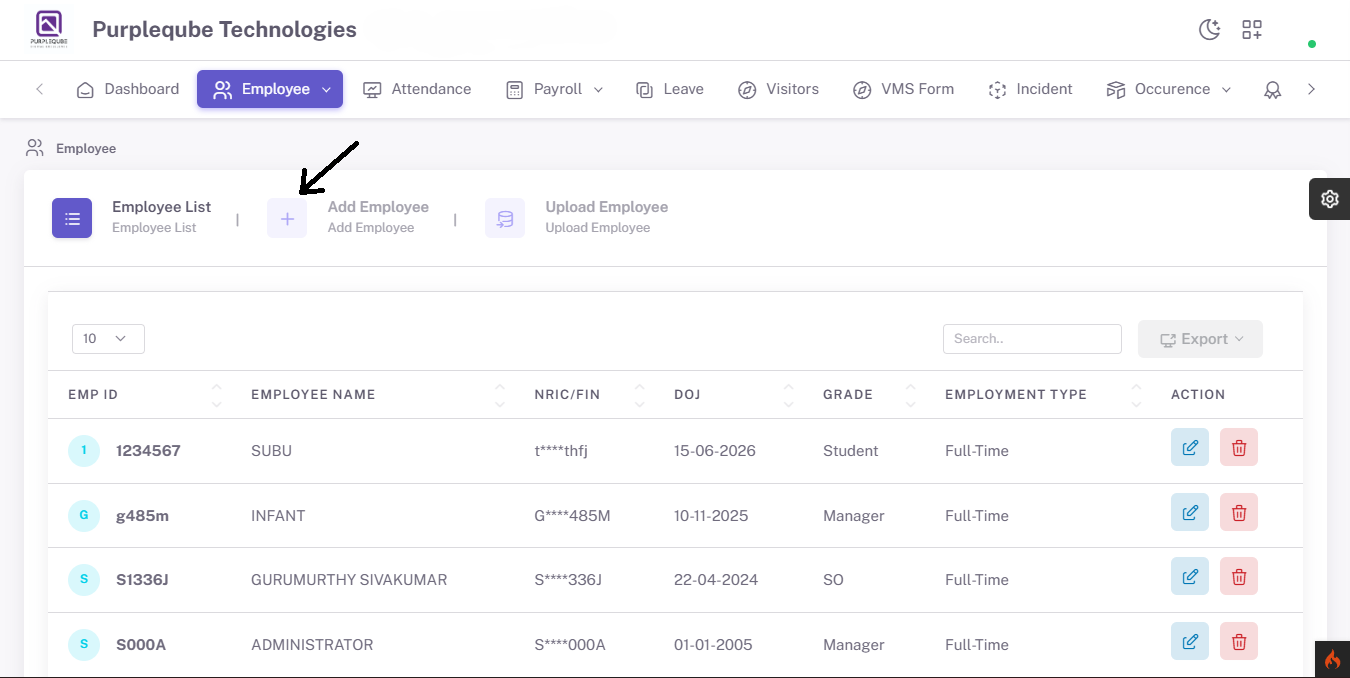
The Add Employee feature enables administrators to register new employees by entering detailed information across multiple sections.
Login Details
Contains information required for employee system access, including:
- Username
- Password
- User Role
- Login Credentials

Personal Details
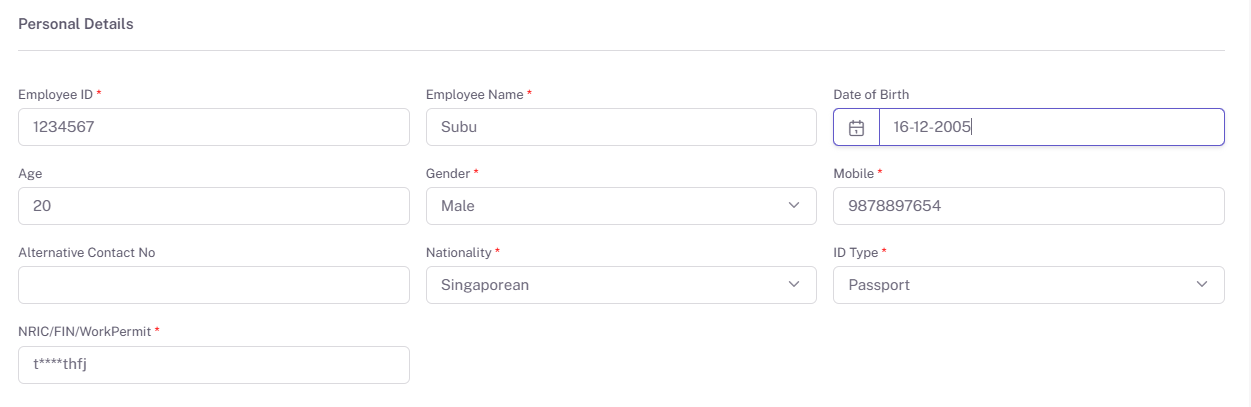
The Personal Details section captures the employee's basic personal information required for identification, communication, and record management.
This section may include the following information:
- Employee ID
- Full Name
- Gender
- Date of Birth
- Nationality
- Marital Status
- Mobile Number
- Email Address
- Identification Number (NRIC/Passport/National ID)
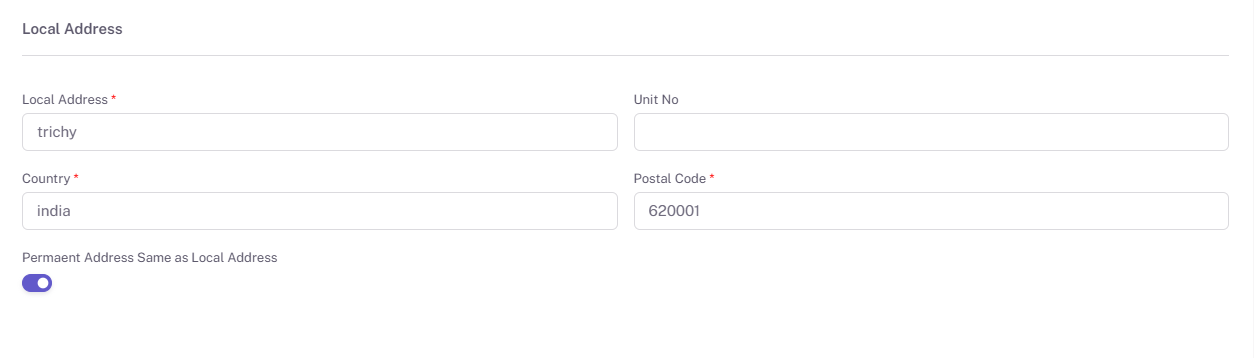
Local Address
Stores the employee's current residential address, including:
- Address Line
- City
- State
- Postal Code
- Country
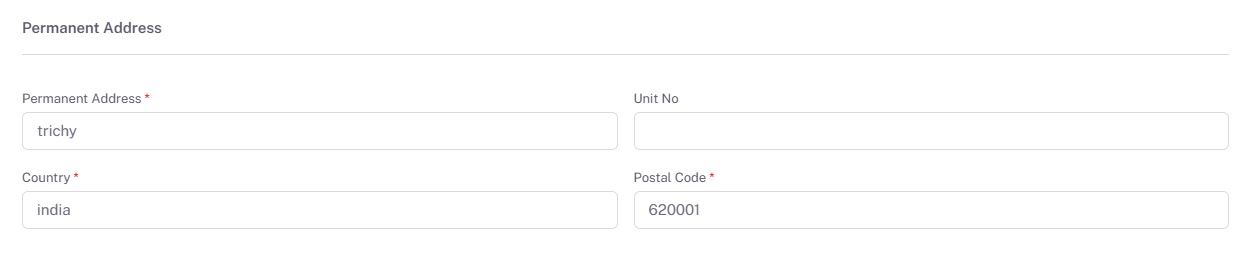
Permanent Address
Stores the employee's permanent residential address for official records.
Allowance Details
Records all employee allowances that contribute to the overall compensation package, such as:
- Housing Allowance
- Transport Allowance
- Meal Allowance
- Other Additional Benefits

Deduction Details
Maintains information regarding salary deductions, including:
- Tax Deductions
- Insurance Contributions
- Other Authorized Deductions
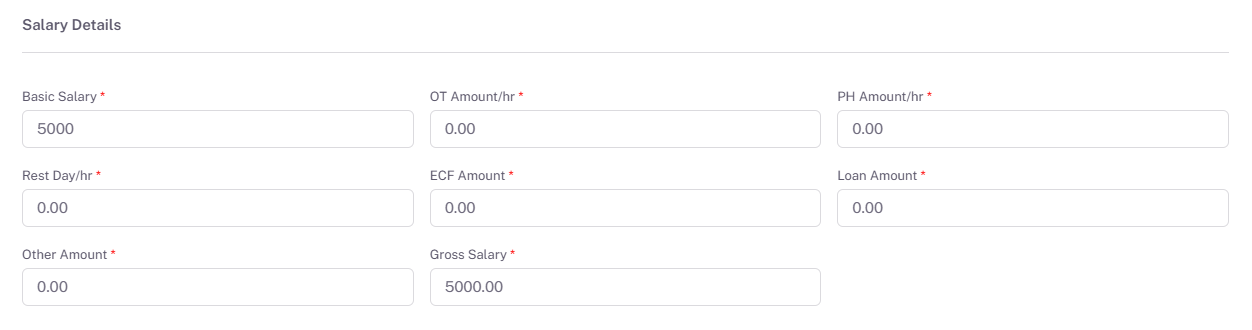
Salary Details
Contains the employee's compensation information, including:
- Basic Salary
- Gross Salary
- Net Salary
- Salary Structure
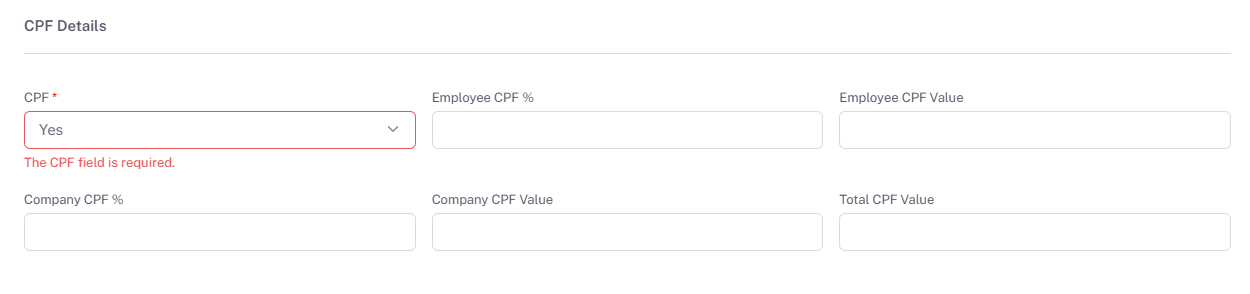
CPF Details
Stores employee Central Provident Fund (CPF) information, including employer and employee contribution details where applicable.
Bank Details
Maintains banking information required for salary payments, such as:
- Bank Name
- Account Holder Name
- Account Number
- Branch Information

Employee Image
Allows administrators to upload and maintain the employee's profile photograph for identification purposes.
Attachment Details
Provides the ability to upload and manage supporting documents, including:
- Identification Documents
- Employment Contracts
- Certificates
- Other Relevant Employee Documents

Edit Employee
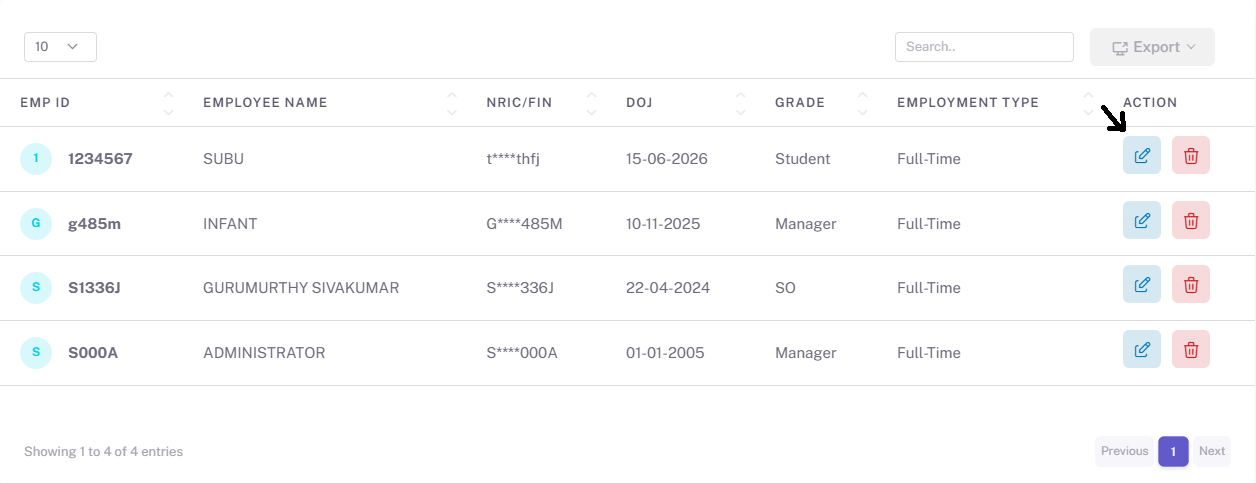
Administrators can modify existing employee information whenever updates are required. All employee-related sections can be updated through the edit functionality.
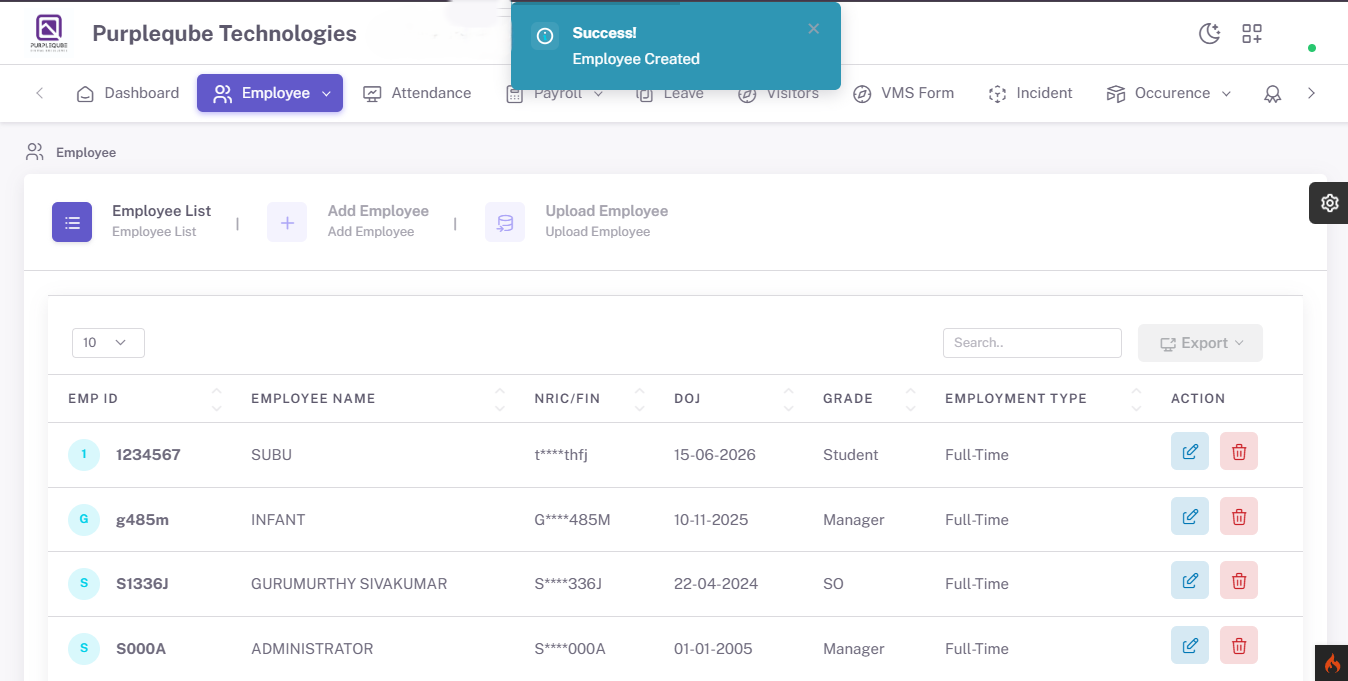
Delete Employee
The delete option allows administrators to permanently remove employee records from the system when necessary.
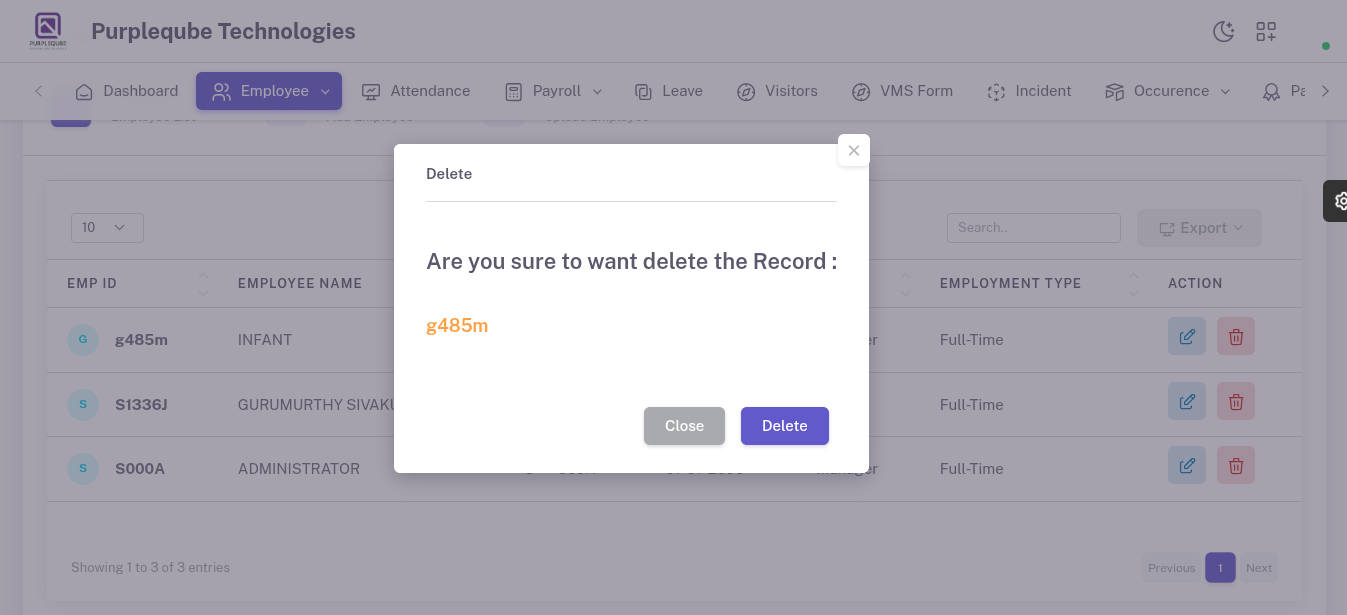
The Employee Management module serves as a centralized platform for maintaining employee records and leave information. It helps administrators:
- Manage employee profiles efficiently.
- Maintain accurate employee records.
- Store payroll-related information.
- Manage employee documentation.
- Track employee leave balances.
- Support payroll and HR operations.
- Ensure data consistency and compliance.
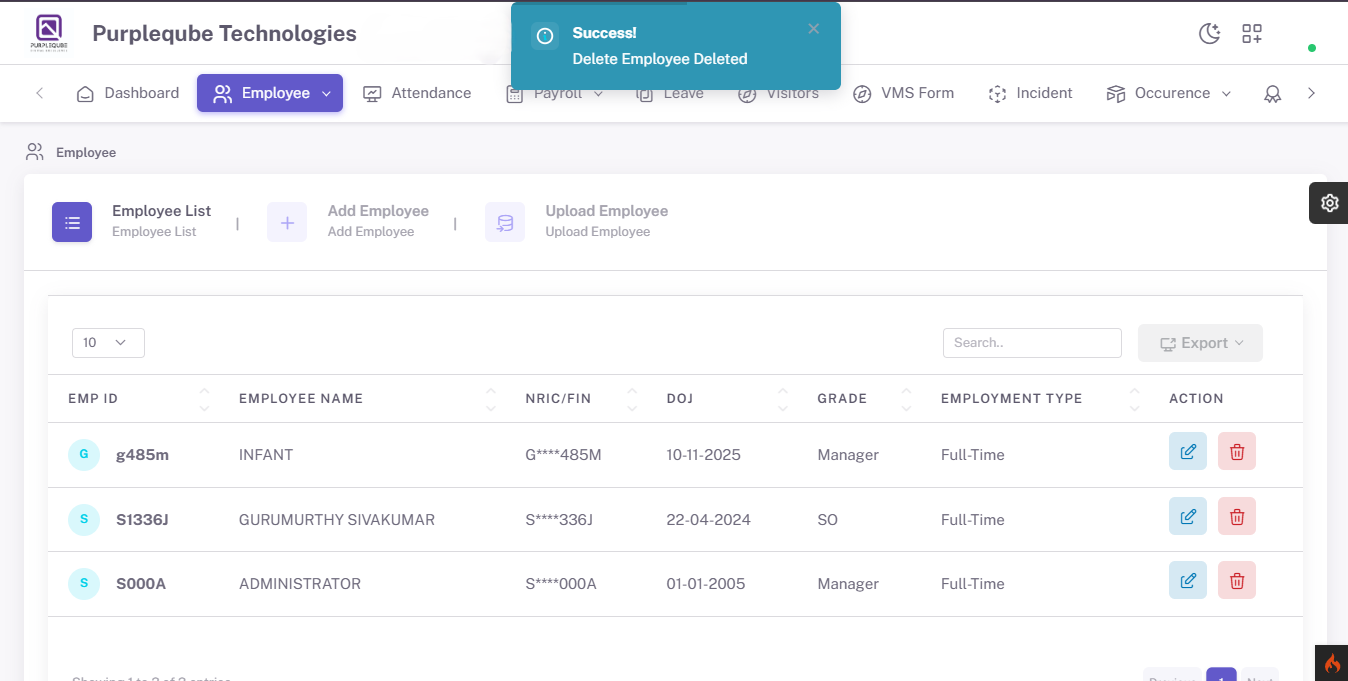
This module plays a critical role in workforce management by providing a complete and organized view of employee information and leave records.